
Shipped the intro draft. Next: outline Q3.Work
in·ter·sti·tial adjective — occupying the small spaces between things.
Why the gaps between tasks?
a
Your attention drags
When you jump from one task to the next, part of your mind stays behind — researchers call it attention residue. The last email trails into the meeting; the meeting trails into the draft.
b
The gap is the leverage point
You switch tasks dozens of times a day. Each seam is a few seconds you already have — the one moment where a tiny act of attention pays off across the whole next block.
c
One line closes the loop
Note where you left off and what's next. The old task is set down on paper instead of carried in your head — and the new one starts with its first step already named.
The practice was named by writer Tony Stubblebine in 2017; people have kept worklogs like this for far longer. Interstitial Journal is an app designed around the gap itself — not the desk session. Read the complete guide to the method →
No essays. No streaks. No setup.
Ten seconds, and back to work.
How it works
Three small habits, one tiny app
01
Write one line
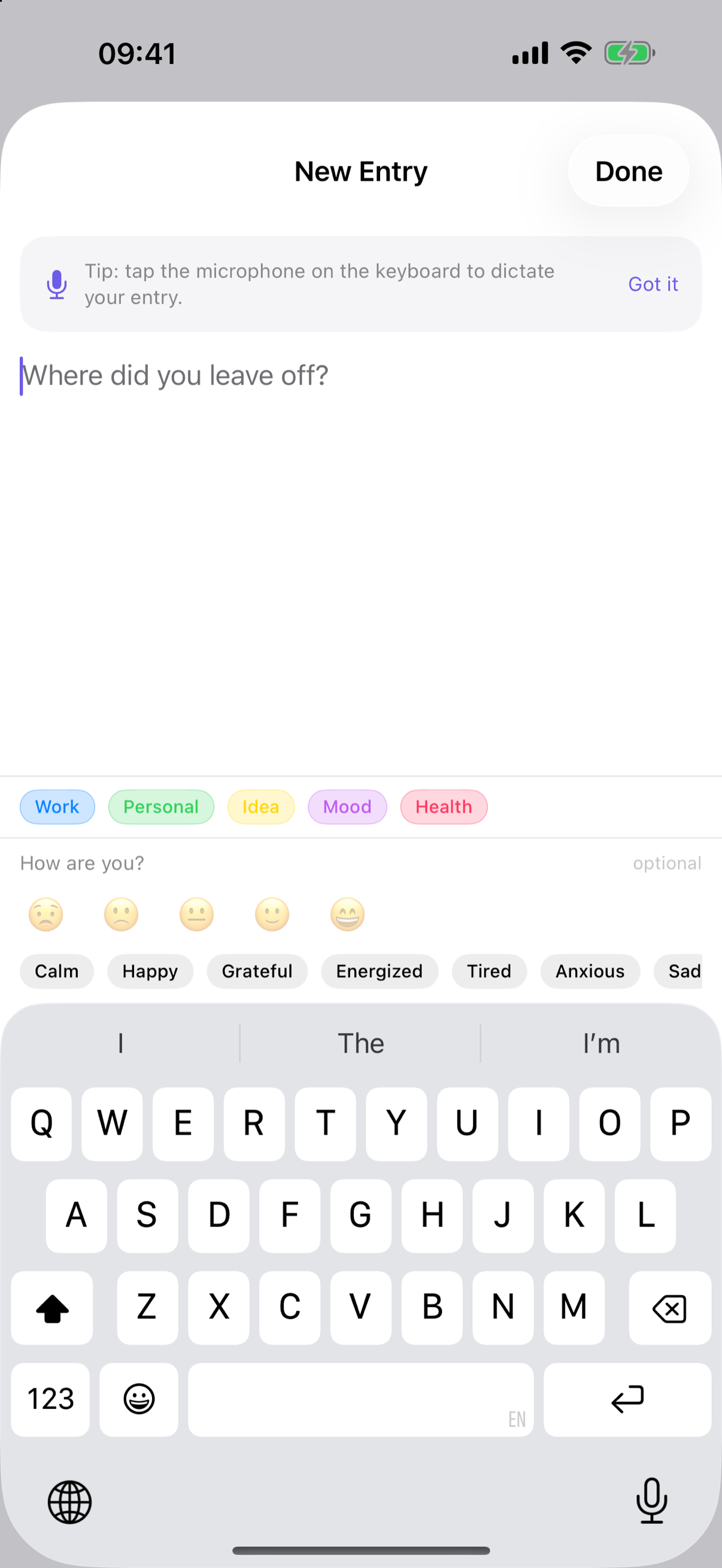
Open a blank note and type a line — or tap the keyboard mic and say it. Add a tag and, if you like, how you're feeling. There's no Save button; it's kept the moment you're done.
02
Stay with the task
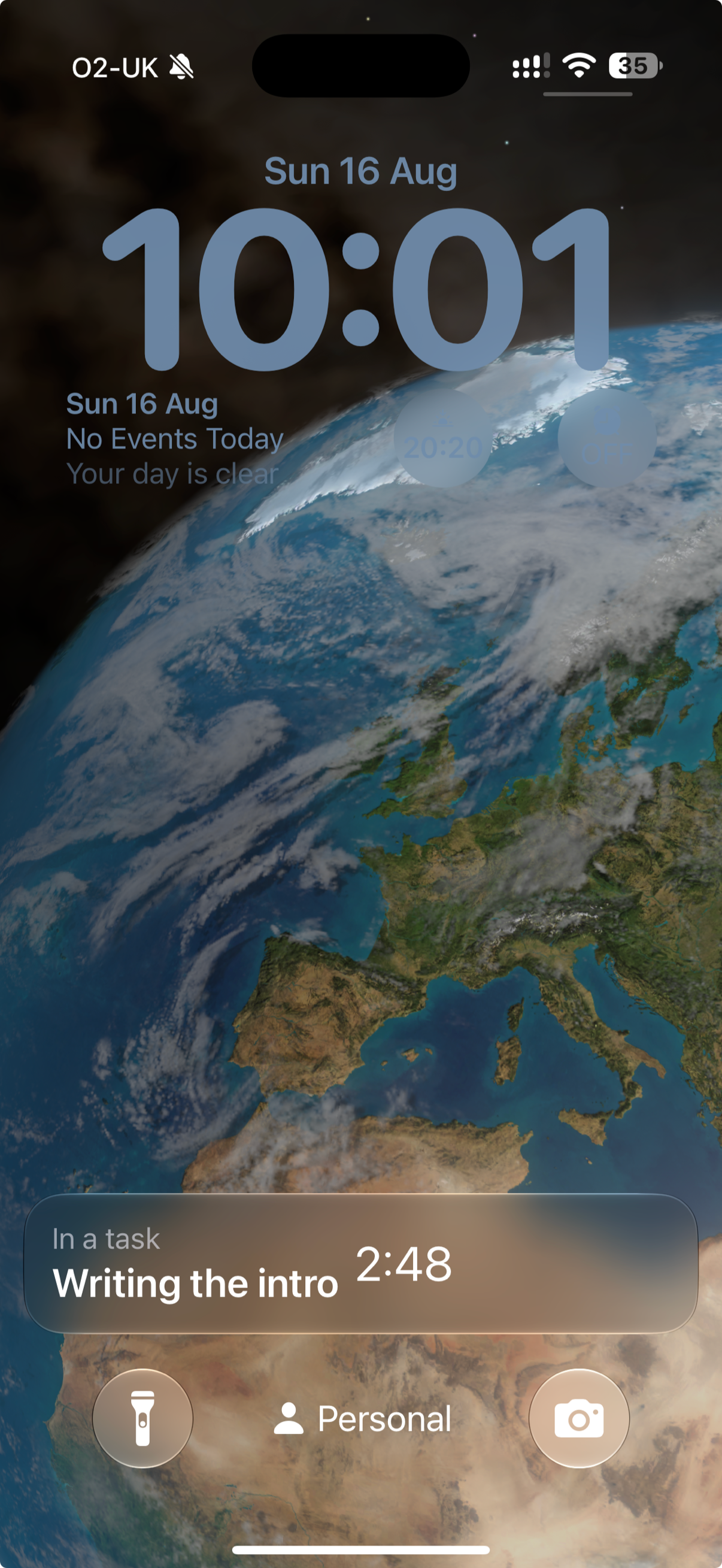
Start a task and it lives on your Lock Screen, Dynamic Island, widgets, and the Mac menu bar — on every device, in step. Finishing logs the focused time as an entry you can tag.
03
Notice your patterns
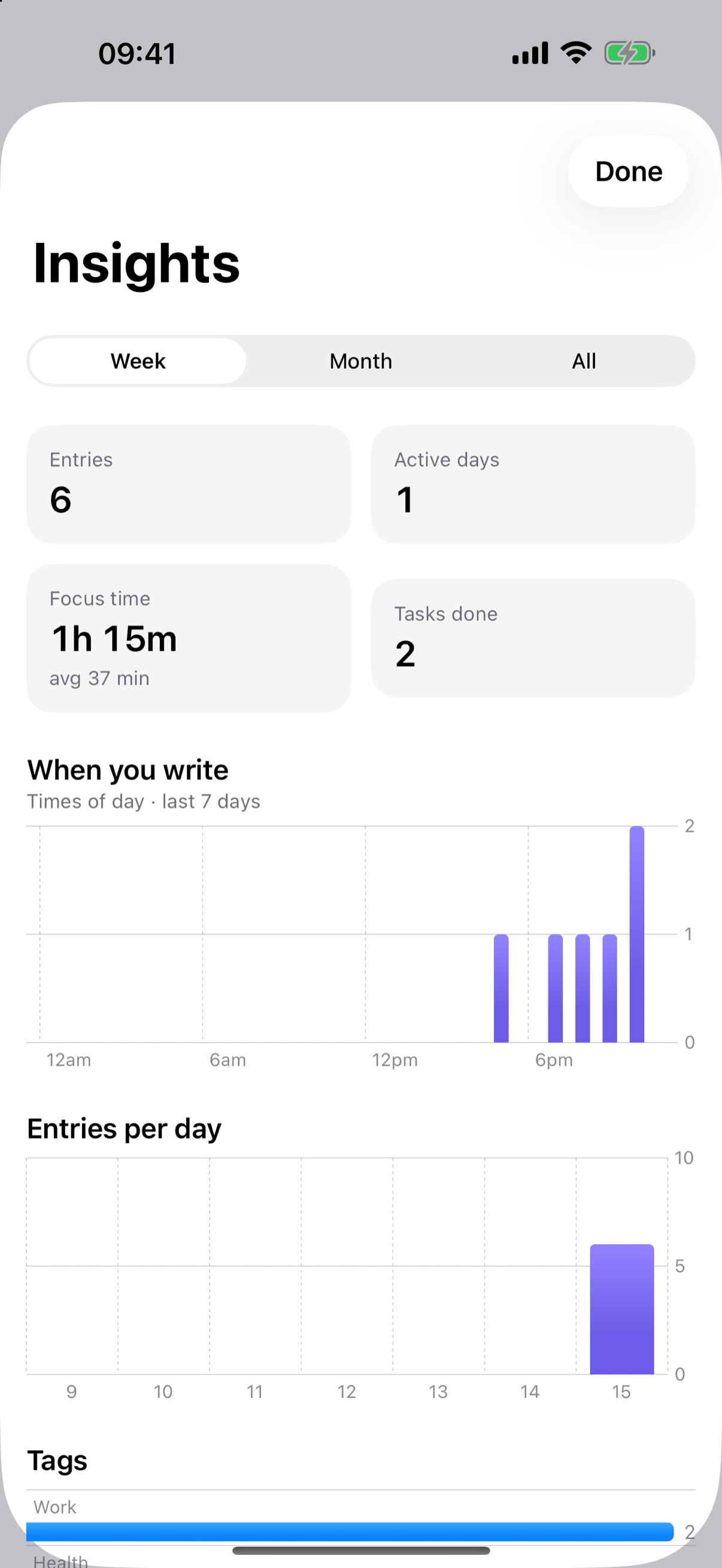
Entries per day, when in the day you write, focus time, and how it all breaks down by tag and mood — computed entirely on your device. Insight without surveillance.
New in 1.3
On your wrist, too
Raise your wrist, say the line, lower it. Start, pause and finish a task with the same wrap-up as on iPhone — what's next, a tag, how you feel — and keep the task you're in, with its timer, on your watch face. Same journal, synced through your own iCloud: on your wrist whenever you open the app.


Also: complications for your watch face, Siri ("Log an entry in Interstitial Journal"), and double-tap for a new entry on Series 9, Ultra 2 and later. Included in your purchase.
What's inside
Everything you'd want, nothing you wouldn't
Type or speak
Dictation becomes editable text. No audio is stored.
Automatic timestamps
The day reads as a chronological narrative, not dated pages.
Editable tags
Five sensible defaults — rename, recolor, reorder, or add your own.
The task, everywhere
Lock Screen, Dynamic Island, widgets, the Mac menu bar, and your watch face stay in step.
On-device insights
Focus time and patterns by tag and mood — computed on your device.
Syncs, no login
Your entries live in your own iCloud. No account, nothing we can read.
The science
What the research supports
Here are the facts: interstitial journaling itself hasn't been formally trialed. What we build on is adjacent, real (if modest) research:
- Attention & transitions. Cognition lingers on a prior task ("attention residue"); briefly noting where you left off and what's next is the one intervention with direct support (Leroy & Glomb).
- Naming feelings. Putting an emotion into words is associated with calmer responses — so mood naming is offered, gently and optionally.
- Lower friction wins. Habits stick when the action is trivially easy, so capture is one tap or one phrase.
- Reflection helps — a little. Journaling's measured effects are small and not universal. This is reflection, not treatment.
You won't see splashy productivity percentages here. No study average is you — the only measure that matters is whether it helps your days. Try it for a week, and let your own timeline be the evidence.
Built on
How we grade evidenceSwitching tasks leaves part of your attention on the last one
Leroy (2009), Organizational Behavior and Human Decision Processes
ModerateNoting where you left off before you switch reduces that leftover attention
Leroy & Glomb (2018), Organization Science
EarlyPutting a feeling into words can calm it
Lieberman et al. (2007), Psychological Science
ModerateWriting about your experiences has small, uneven benefits
Frattaroli (2006), meta-analysis, Psychological Bulletin
Moderate
Privacy
You own your data. Really.
Everything is stored in your iCloud (a private CloudKit database) and on your devices. There's no server we control and no account to create — we can't read your journal. It's encrypted in transit and at rest; turn on Apple's Advanced Data Protection for full end-to-end encryption. Export to JSON or Markdown anytime.