
Release notes · Version 1.1
Version 1.1: One Design, Every Screen
Interstitial Journal exists for the ten seconds between one task and the next, so the app itself has no business demanding attention. Version 1.1 is a full visual pass in that spirit: one accent color, calmer type, and the same design language on iPhone, iPad, and Mac — plus a rebuilt Insights screen and tasks that finally stay in step across all your devices.
One accent, calmer everything
The app now speaks the same visual language everywhere: a single violet accent carried through every button, chart, and control, quieter chrome around the timeline, and — on iPad and Mac — a comfortable reading column instead of text stretched across the whole window. Nothing moved and nothing was added to learn; your timeline, tags, and search all work exactly as before, just with less visual noise around them.

The timeline: your day, newest first, with the running task pinned on top.
Insights, rebuilt
The Insights screen was the part of the app that had fallen furthest behind, so it was rebuilt from scratch. It now answers three questions at a glance: how much am I writing (entries, active days, focus time), when do I write (a new times-of-day chart — often the first evidence of a pattern you didn't know you had), and what is my attention going to (entries by tag, each bar in its tag's own color, plus mood over time). A range picker switches between the last week, the last month, and everything. All of it is computed on your device from your own entries — nothing is sent anywhere.
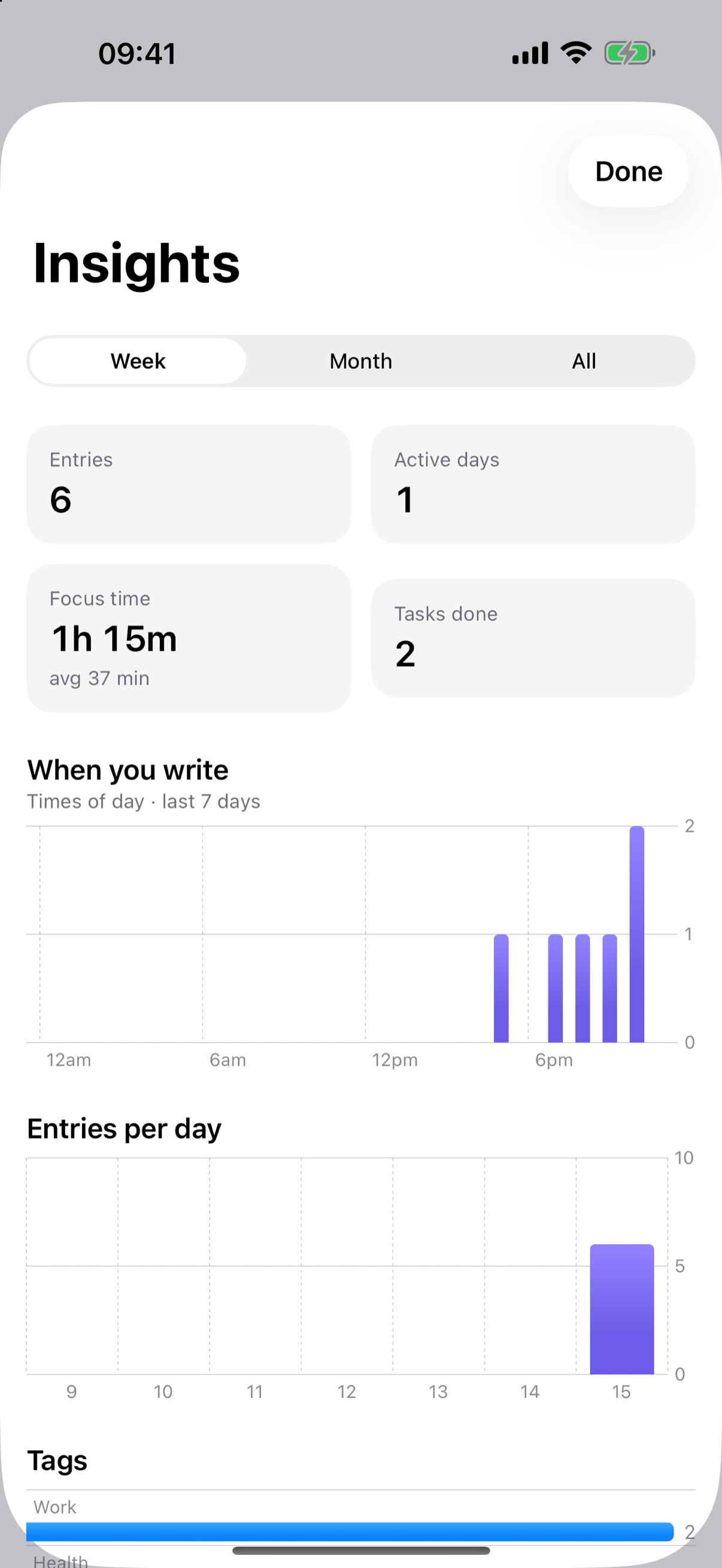
Insights: week, month, or all time — computed entirely on-device.
Tasks that stay in step across devices
Start a task on your Mac and it appears on your iPhone; stop it on either device and it stops everywhere. Version 1.1 reworked how the running task syncs through your private iCloud, and it shows up wherever you happen to be looking: as a Live Activity on the iPhone Lock Screen and Dynamic Island, in the widgets, and in the Mac menu bar. Finishing a task logs the focused time to your journal — from whichever device you finish it on.
There's also a small new Sync status panel in Settings that shows the store in use, when the last sync arrived, and whether Live Activities are enabled — so if something ever looks out of step, you can see at a glance what's going on rather than guessing.
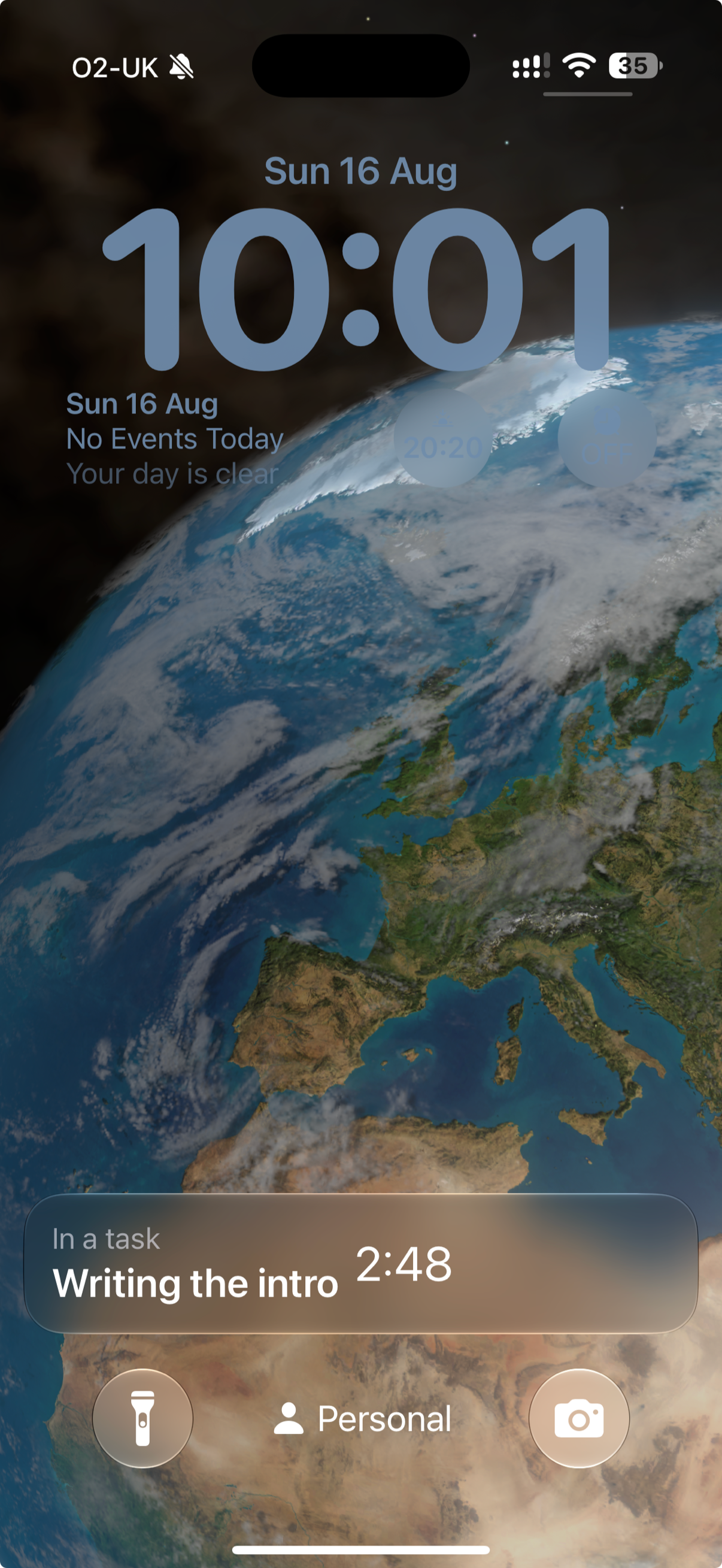
The running task on the Lock Screen — glanceable without opening anything.
The small print of the release
- Compose is unchanged on purpose. One line, a tag, an optional mood, no Save button. The capture flow is the product; it stays frictionless.
- New entry, same price. $4.99 once, covering iPhone, iPad, and Mac. No subscription, no account, and your entries stay in your own iCloud.
- Everything else: a refreshed app icon treatment across platforms, steadier Live Activity behavior after the app has been in the background, and a long tail of small alignment, spacing, and dark-mode fixes.
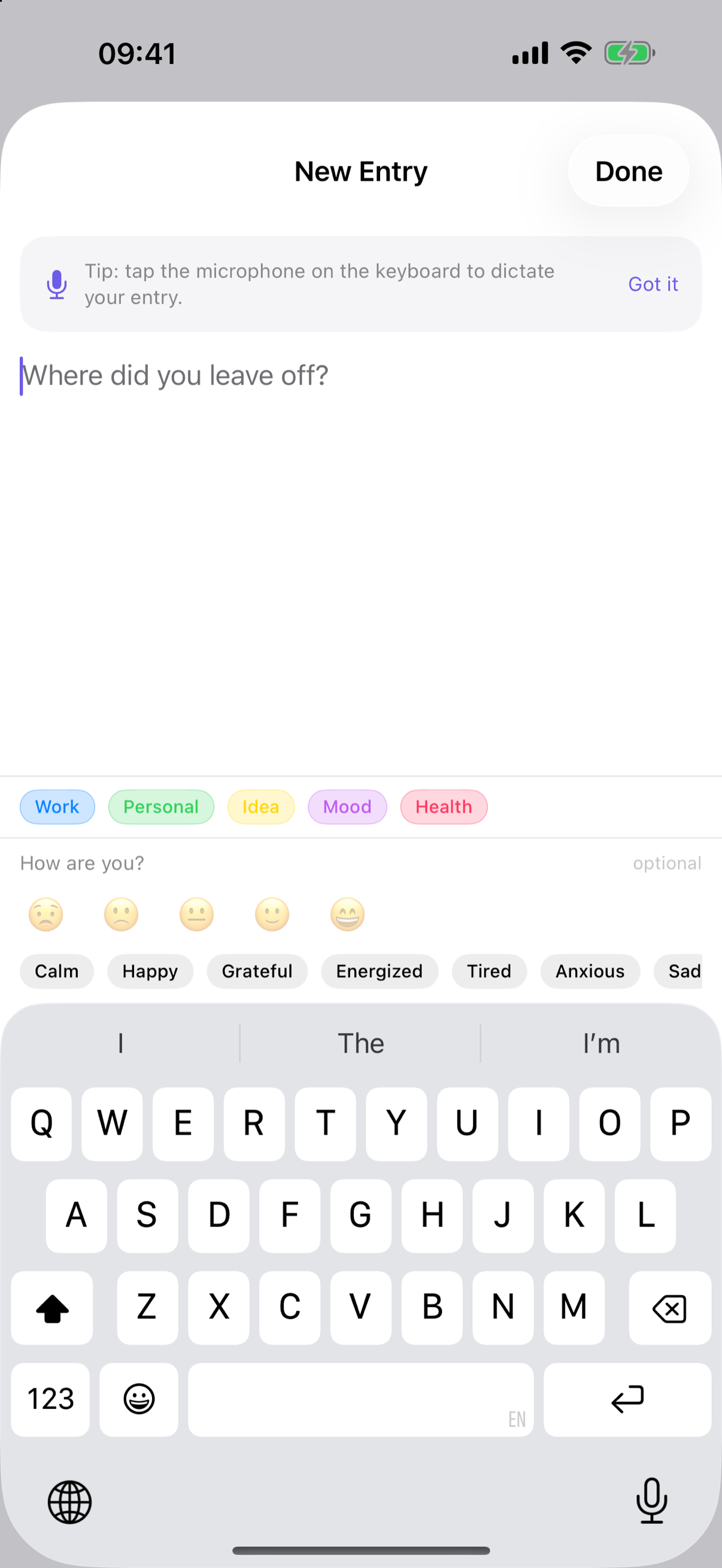
Compose, deliberately untouched: write a line, tag it — done.
Version 1.1 is rolling out on the App Store now. If you already own the app, it's a free update — one purchase covers iPhone, iPad, and Mac.
Capture the moments between tasks
A quick, timestamped note when you switch — and a design that stays out of the way while you do it.
Download on the App Store →$4.99 one-time · No subscription. No login. No tracking.